Students applying for renewal of the SBI Asha Scholarship for the academic year 2026–27 are required to follow the guidelines below carefully.
1. Create an Account on the Scholarship Portal
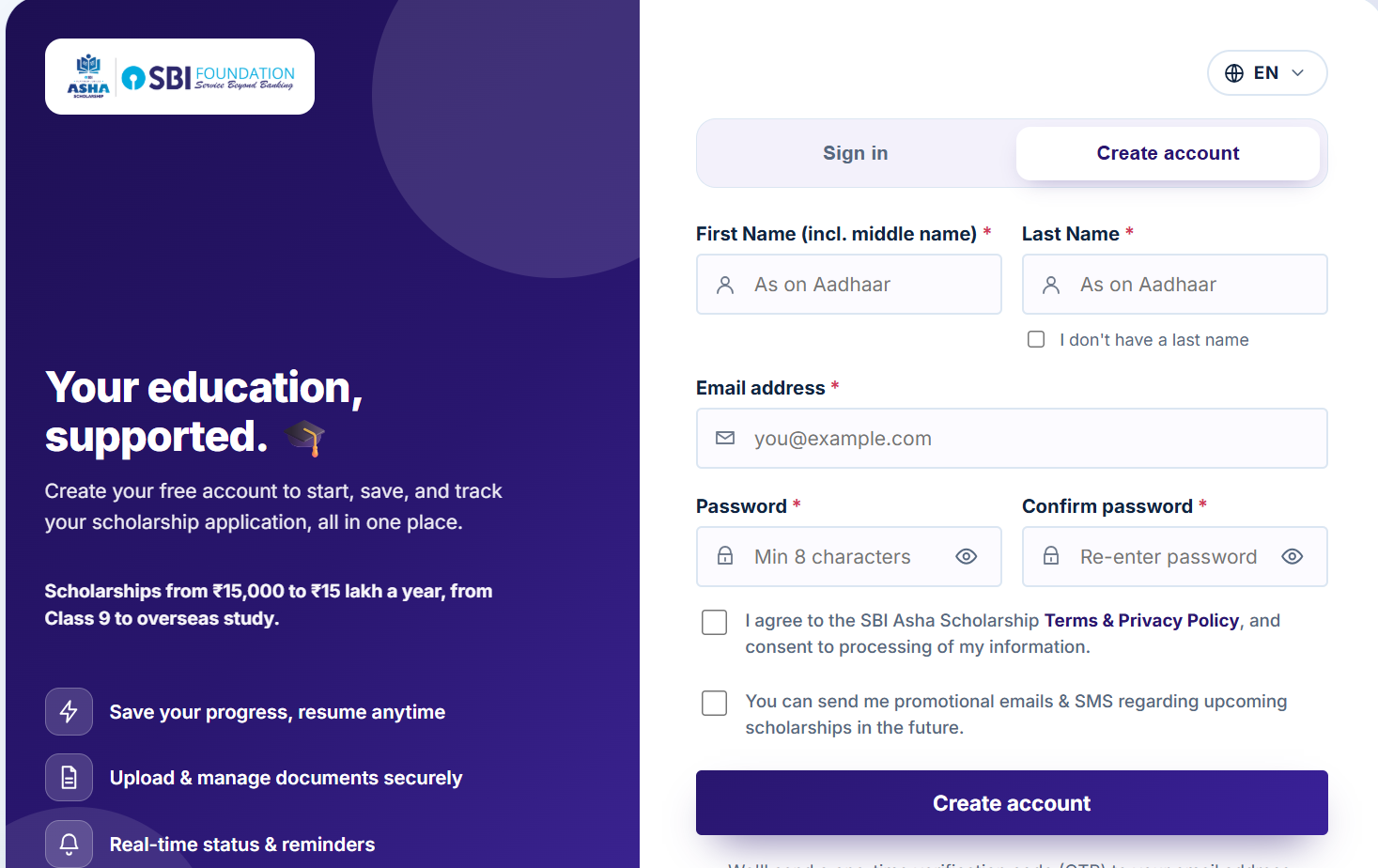
For the renewal application process, students are required to create a new account on the SBI Asha Scholarship portal using the registered email address used in their previous year's scholarship application.
Please refer to the reference image provided below for guidance on the “Create account” option and the details required while creating the account.
Important: The email address used to create the account for the renewal process should be the same registered email address used in the previous year's SBI Asha Scholarship application.
2. Use Your Previous Year's Registered Details for Renewal
Once you have logged in and proceed with the renewal application, you must use the same registered mobile number and registered email address that were used for your previous year's SBI Asha Scholarship application.
Both details are required to continue the renewal process.
Example:
Suppose the details used for your 2025–26 scholarship application were:
- Registered Mobile Number: XXXXXXX2087
- Registered Email: xyz@gmail.com
For the 2026–27 renewal application, you must use:
- Mobile Number: XXXXXXX2087
- Email: xyz@gmail.com
However, the email address used to log in to the scholarship portal may be the same or different.
3. Important: Enter the Correct Details
Please ensure that you enter your previous year's registered mobile number and email address correctly while proceeding with the renewal.
If incorrect information is entered repeatedly, your access may be temporarily locked for one hour.
In such a situation:
- Please wait for one hour.
- Do not make repeated attempts during the lock period.
- After the waiting period, try again using the correct registered details.
Short Note: Renewal Application Technical Issues
If you started a fresh application by mistake and later initiated the renewal application using your previous application details, but are unable to access or proceed with the renewal due to a technical issue, your case may require backend review.
Please share the relevant details and screenshots of the issue for reference. Such cases may require 3–5 working days for internal review and resolution.
Key Reminder
Portal login email = Can be the same or different
Renewal email = Must be the same as last year's registered email
Renewal mobile number = Must be the same as last year's registered mobile number
Applicants are advised to carefully follow these instructions to avoid difficulties while proceeding with the renewal application.
Was this article helpful?
That’s Great!
Thank you for your feedback
Sorry! We couldn't be helpful
Thank you for your feedback
Feedback sent
We appreciate your effort and will try to fix the article